

55BMW Login
Looking for a simple way to complete your 55bmw login? This guide walks you through each step on mobile and desktop. Read on to learn how to sign in, fix common problems and protect your account.
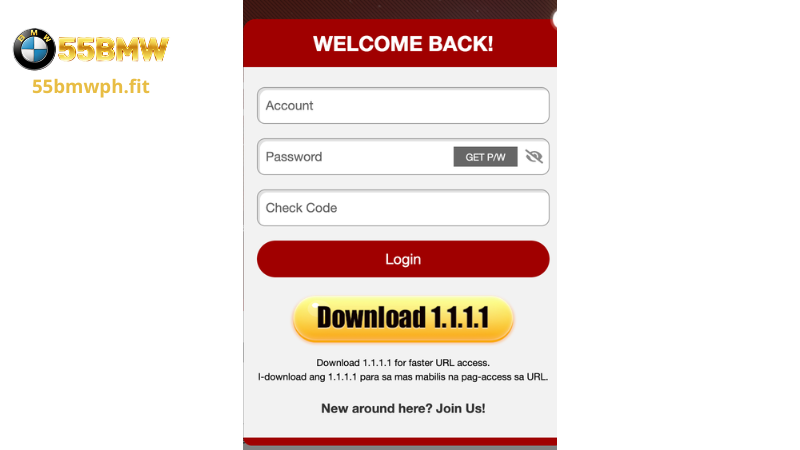
How to Complete 55bmw Login
To log in, open the official 55bmw website at https://55bmwph.fit/, enter your username and password, then confirm. You can do this from a phone, tablet or computer, and no download is required to use the browser version.
Login on mobile browser
- Open your phone’s browser (Chrome, Safari or similar).
- Go to https://55bmwph.fit/.
- Tap Login.
- Enter your username and password.
- Tap Confirm to enter your account.
Login on desktop
- Open your browser and type https://55bmwph.fit/ in the address bar.
- Click Login at the top of the page.
- Enter your registered username and password.
- Click Confirm.
If you prefer to play through the 55bmw app on Android or iOS, you can use the same username and password inside the app.
What You Need Before Signing In
| Requirement | Details |
|---|---|
| Registered account | You need to register first if you are new |
| Username and password | The details you created during registration |
| Device | Smartphone, tablet or computer with a modern browser |
| Internet connection | A stable Wi-Fi or mobile data connection |
| Age | Players must be 21 or older |
Common 55bmw Login Problems and Fixes
Forgot password
Use the password recovery option on the login page if it is available, or contact support and follow the steps to verify your identity. Choose a new password that you do not use anywhere else.
Account locked or verification required
Accounts can be restricted after repeated incorrect password attempts, or when extra verification is needed. Stop trying and contact customer support. Have your username and registered details ready.
Page not loading or fake-site warning
- Check your internet connection and refresh the page.
- Clear your browser cache or try another browser.
- Make sure the address in your browser reads exactly https://55bmwph.fit/. Several websites online use similar names, so do not enter your details on a page you are unsure about.
Tips to Keep Your Account Secure
- Always check the website address before entering your password.
- Never share your password or verification details with anyone, including people claiming to be support.
- Use a strong, unique password.
- Log out when using a shared or public device.
- Look for the padlock icon in your browser, which shows the connection is encrypted.
- Contact support only through the official channels listed on the Contact Us page.
Conclusion
Logging in to 55bmw takes only a few steps: open the official site, enter your username and password, and confirm. Keep your details private and always check that you are on the correct address. 55bmw is built around entertainment, innovation and integrity, and the platform is for players aged 21 and above only. Please play responsibly and only with money you can afford to spend.
Have a question about signing in? Leave a comment or share this guide with a friend who needs it.